

- Trending templates
- 50+
- Image styles
- 10
- Creations at once
- 5
Overview
What Goka AI does
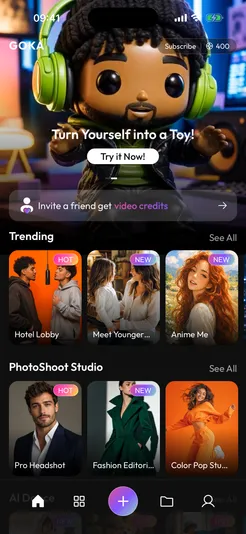
Goka AI turns your photos into scroll-stopping videos and images with AI — no editing skills needed. Choose a viral template, add a photo, and Goka creates a video with matching sound. Save creations to your phone, organise them in folders, and get notified the moment they’re ready.
Features
Everything you need, nothing you don't.
- 01
Trending templates
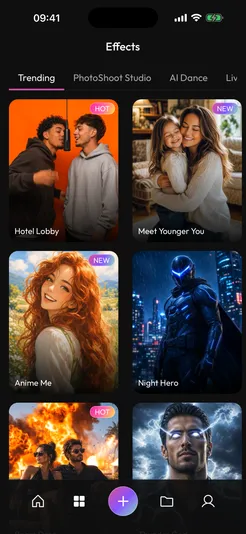
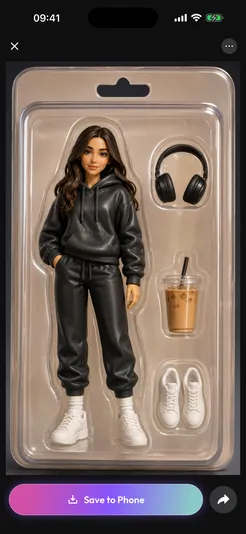
Pick a viral trend, add a photo and Goka does the rest — Hotel Lobby duet, AI dances, Toy Me, Thunder God, Anime Me and dozens more.
- 02
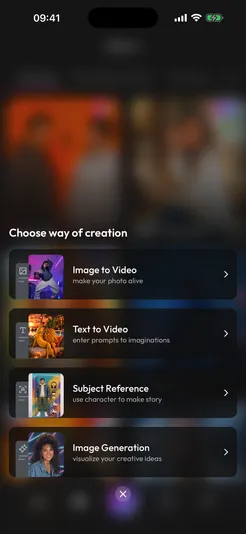
Image & text to video
Bring any photo to life with your own prompt, or describe a scene and watch it play.
- 03
Subject reference
Put yourself, your pet or your product into a brand-new story.
- 04
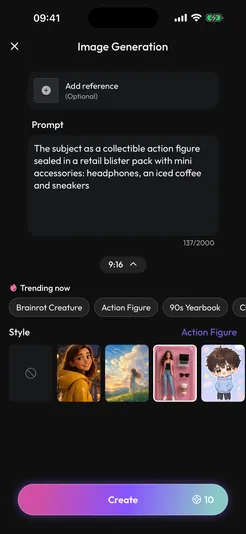
Image generation
Ten styles including 3D Animated, Dreamy Anime, Action Figure, 90s Yearbook and Claymation.
- 05
Photo shoots in seconds
Pro headshots, fashion editorials, makeup looks, tattoo previews and photo-booth strips — from a single selfie.
- 06
With sound
Videos come with matching sound — beats for dances, ambience for scenes.
Do I need an account?
No — you can start as a guest with free credits. An account is required for purchases so they can always be restored.
How do credits work?
Each creation shows its credit price before you start. If a creation fails, its credits are returned automatically. Credit packs never expire.
How do I cancel Goka Pro?
Manage or cancel any time in your App Store or Google Play account settings, at least 24 hours before the current period ends.
How do I delete my account?
In the app, go to Settings › Profile › Delete My Account. Everything — profile, uploads, creations and credits — is removed straight away.
Get Goka AI today.
Turn your photos into scroll-stopping AI videos and images — trending templates, with sound.